Best Ultrawide Monitors for Productivity in 2026
Upgrade your workspace and eliminate dual-monitor clutter. We review the top ultrawide displays for coding, design, and multitasking.
Quick Buy Links
If you're still relying on a clumsy dual-monitor setup with a bezel splitting your vision down the middle, it's time to consider an upgrade. The best ultrawide monitors for productivity in 2026 offer expansive screen real estate, streamlined cable management, and features tailored for multitasking professionals, developers, and creatives.
Whether you're juggling massive spreadsheets, writing thousands of lines of code, or managing complex video timelines, an ultrawide display can transform your workflow. In this guide, we break down the top options on the market, ranging from budget-friendly workhorses to premium OLED beasts.
Why Upgrade to an Ultrawide?
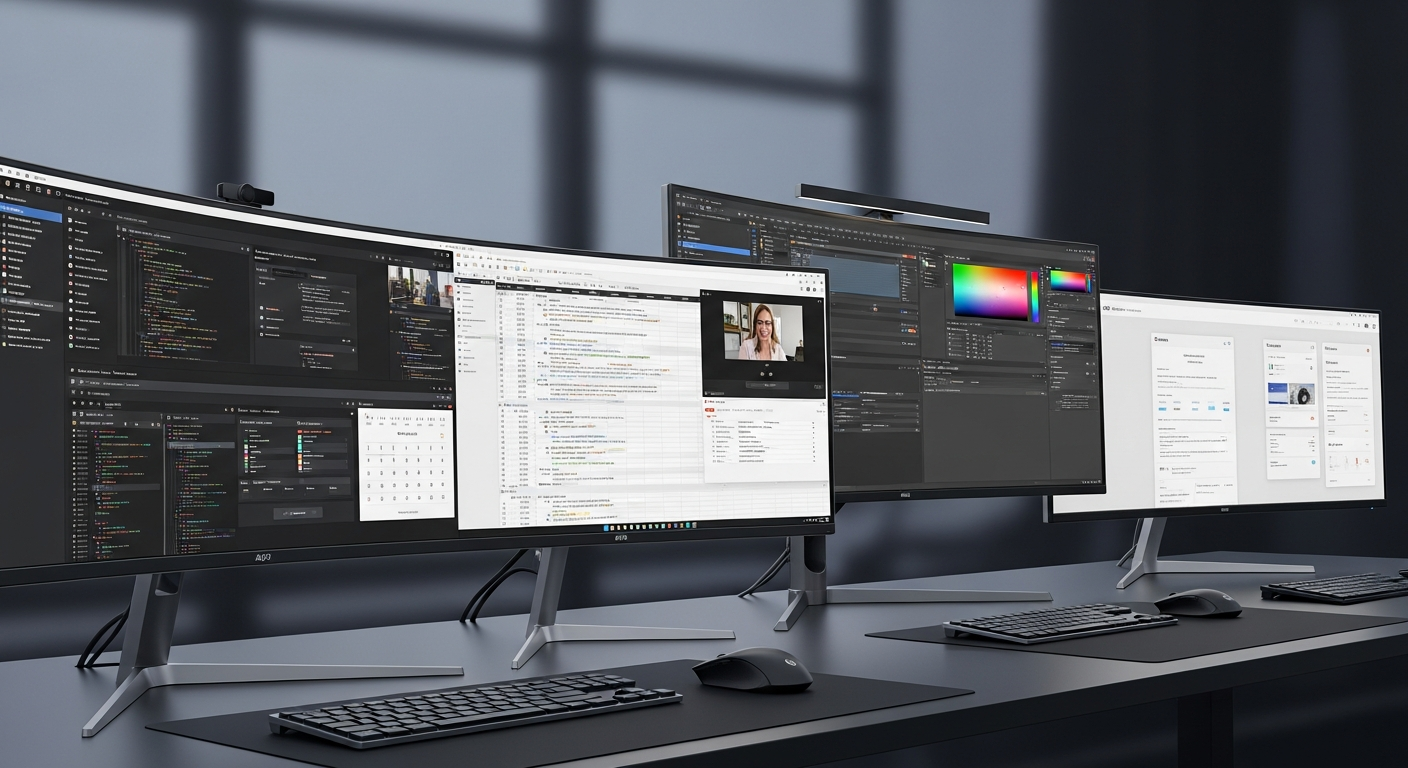
Switching to a 21:9 or 32:9 aspect ratio provides a seamless workspace. You can comfortably snap three full-sized windows side-by-side without compromising readability. Additionally, most modern ultrawides feature built-in KVM switches, USB-C power delivery (charging your laptop with a single cable), and picture-in-picture modes, making them the ultimate hub for your home office.
1. Dell Alienware AW3425DW: The Premium All-Rounder
Best for: Professionals who also gameWhile technically an "Alienware" gaming monitor, the AW3425DW's stunning QD-OLED panel makes it a productivity powerhouse. The infinite contrast and perfect blacks reduce eye strain during long hours of reading or coding, and the color accuracy is incredible for light creative work.
Pros:
- Breathtaking QD-OLED picture quality
- 175Hz refresh rate makes scrolling incredibly smooth
- Sleek, modern design that doesn't scream "gamer" too loudly
- Excellent warranty coverage including burn-in protection
- Premium price tag
- Text clarity on OLEDs can require tweaking via Windows ClearType
- Lacks a built-in KVM switch
2. LG 49WQ95C-W: The 49-inch Behemoth
Best for: Extreme multitaskers and financial analystsIf a standard 34-inch ultrawide isn't enough, the LG 49WQ95C-W is a 49-inch monster that completely replaces a dual 27-inch monitor setup. With its crisp 5120 x 1440 resolution, you can comfortably view massive timelines, dashboards, and spreadsheets.
Pros:
- Massive 32:9 screen real estate
- Built-in KVM switch to control two computers with one mouse/keyboard
- USB-C power delivery (90W)
- Excellent IPS panel viewing angles
- Requires a very deep and sturdy desk
- Premium pricing
- The sheer width can require a lot of head-turning
3. Asus ProArt PA34VCNV: The Creative's Budget Pick
Best for: Photographers, designers, and budget-conscious professionalsThe Asus ProArt series is renowned for color accuracy out of the box, and the PA34VCNV is no exception. At a highly competitive price point, you get a 34-inch display that is Calman Verified and covers 100% of the sRGB gamut, making it perfect for creative work.
Pros:
- Factory calibrated for excellent color accuracy
- USB-C connectivity with 96W power delivery
- Built-in daisy-chaining support
- Very affordable for an ultrawide
- 60Hz refresh rate isn't as smooth for scrolling as pricier models
- Peak brightness is lower than competitors
- HDR performance is basic
4. Samsung Odyssey Neo G9: The Mini-LED Powerhouse
Best for: Those who need extreme brightness and versatilityThe Samsung Odyssey Neo G9 utilizes Mini-LED technology to achieve searing brightness levels and excellent contrast, rivaling OLED without the burn-in risk. Its aggressive 1000R curve wraps around your field of vision, which is surprisingly comfortable when dealing with a 49-inch screen.
Pros:
- Incredible brightness and HDR performance via Mini-LED
- Aggressive curve keeps the screen edges in your peripheral vision
- 240Hz refresh rate provides silky smooth interactions
- No risk of burn-in for static UI elements like taskbars
- Extremely expensive
- Heavy and requires a premium mounting arm if not using the stand
- The aggressive curve isn't ideal for straight-line drafting or CAD work
What to Look for in a Productivity Ultrawide
When shopping for an ultrawide monitor for work, keep these key specifications in mind:
- Resolution: Always aim for at least 3440 x 1440 (UWQHD) on a 34-inch monitor. 1080p on an ultrawide will result in blurry, pixelated text.
- USB-C Hub / Power Delivery: A monitor with USB-C PD can charge your laptop and handle video/data over a single cable, drastically reducing desk clutter.
- KVM Switch: If you use both a work laptop and a personal desktop, a built-in KVM switch lets you share your keyboard and mouse seamlessly between the two devices.
- Curvature: A subtle curve (1800R to 3800R) is highly recommended for screens 34 inches or larger to maintain uniform viewing angles at the edges.
Our Verdict
For the ultimate balance of price, performance, and workspace real estate, the LG 49WQ95C-W takes our top spot for heavy multitasking. However, if you prefer a more traditional 34-inch footprint that can also double as a premium entertainment display, the Dell Alienware AW3425DW is truly hard to beat in 2026.
If you're on a strict budget but still want professional color accuracy and a clean one-cable setup, the Asus ProArt PA34VCNV is the undisputed value king.
Upgrade your desk setup today and see how much your productivity soars!
Ready to buy?
Here are our recommended picks from this review: