The Best Portable Monitors for Laptops in 2026
Upgrade your mobile workstation with the best portable monitors. We review the top screens for remote workers, digital nomads, and gamers looking for extra display real estate.
Quick Buy Links
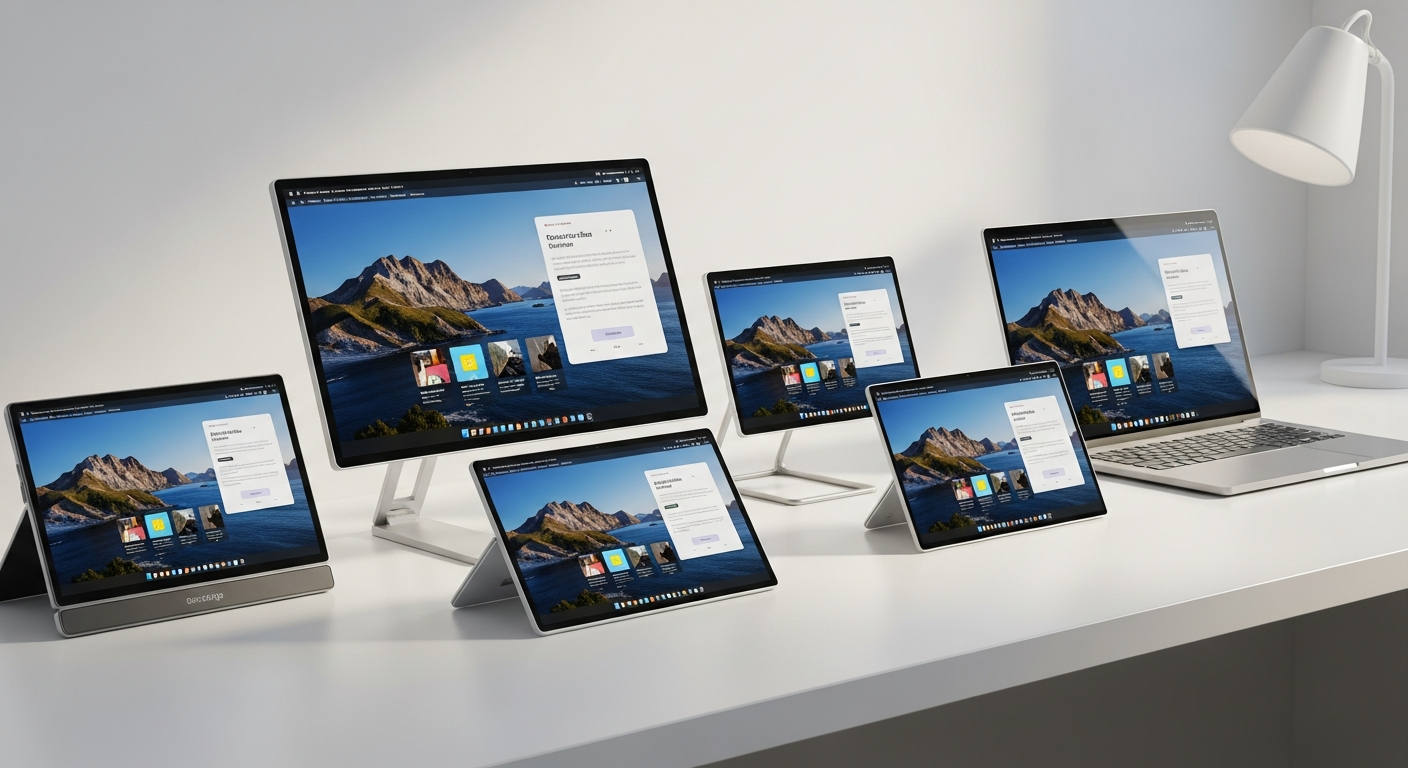
The era of being chained to a desk just to have a dual-monitor setup is officially over. As remote work and digital nomadism continue to dominate in 2026, the demand for high-quality, lightweight portable monitors has skyrocketed. Whether you are coding in a coffee shop, editing videos on a flight, or simply need more screen real estate at your kitchen table, a portable laptop screen extender is one of the highest-ROI tech investments you can make.
But not all portable monitors are created equal. Some suffer from poor brightness, fragile kickstands, or convoluted cable requirements. We’ve cut through the clutter to test and review the absolute best portable monitors of 2026, balancing display quality, portability, build materials, and price.
Here is our definitive guide to the top portable monitors you can buy right now.
1. ASUS ZenScreen MB16ACV 15.6" (Best Overall)
ASUS has long been the gold standard in the portable monitor space, and the ZenScreen MB16ACV continues that legacy. Striking the perfect balance between professional aesthetics, durable build quality, and visual performance, this is our top pick for most remote workers and business professionals.
The 15.6-inch Full HD (1920x1080) IPS display offers excellent viewing angles and features an anti-glare coating that works wonders in brightly lit cafes or near windows. One of its standout features is the integrated fold-out kickstand, which allows you to prop the monitor up in both landscape and portrait modes without needing a separate, flimsy magnetic cover.
Furthermore, ASUS includes its proprietary antibacterial treatment on the bezels and rear—a thoughtful touch for a device meant to be handled and traveled with constantly. It requires only a single USB-C cable for both power and video transmission.
Pros:
- Integrated, sturdy kickstand (supports portrait mode)
- Excellent anti-glare IPS panel
- Single USB-C cable operation
- Professional, premium design
- Slightly heavier than ultra-budget options
- Brightness maxes out at 250 nits (not ideal for direct outdoor sunlight)
2. espresso Display 15 Touch (Best Premium / Best for Mac)
If you are a MacBook user or simply want the most premium, Apple-like aesthetic in your travel bag, the espresso Display 15 Touch is in a league of its own. Hailing from an Australian design startup, this monitor is astonishingly thin—just 5.3mm thick—and crafted from aerospace-grade aluminum.
Beyond its stunning looks, the espresso Display features a highly responsive 10-point touch screen. While macOS natively struggles with touch interfaces on external monitors, espresso provides custom software (espressoFlow) that bridges the gap, allowing for seamless touch gestures, auto-rotation, and workspace management on Macs. The color accuracy is fantastic, covering over 99% of the sRGB spectrum, making it a viable option for lightweight photo editing and design work on the road.
The major caveat here is the price. It is significantly more expensive than standard portable monitors, and you often have to buy their highly engineered magnetic stands separately.
Pros:
- Gorgeously thin, premium aerospace aluminum build
- Responsive touch screen with excellent Mac support
- Superb color accuracy and brightness (300 nits)
- Auto-rotation feature built-in
- Very expensive compared to competitors
- Magnetic stand accessories cost extra
3. ARZOPA 15.6" Portable Monitor (Best Budget Travel Pick)
If you just need a reliable second screen without breaking the bank, ARZOPA has dominated the budget sector in recent years, and their 2026 15.6-inch model is a masterclass in value. Often available for under $100, this monitor provides a crisp 1080p IPS display that punches way above its weight class.
What makes the ARZOPA stand out is its incredibly slim profile and lightweight footprint (just 1.44 lbs). It slides effortlessly into a laptop bag alongside a 15-inch or 16-inch laptop. It features dual USB-C ports and a mini-HDMI port, ensuring compatibility with practically any modern laptop, Nintendo Switch, or PlayStation. The built-in kickstand is surprisingly stable for the price point, eliminating the need for a bulky smart cover.
Pros:
- Unbeatable price-to-performance ratio
- Extremely lightweight and slim profile
- Wide compatibility (USB-C and Mini-HDMI)
- Vibrant colors for a budget IPS panel
- Audio from the built-in speakers is very weak
- OSD (On-Screen Display) menu can be clunky to navigate
4. KYY 15.6" Portable Monitor (Best Value with Smart Cover)
Trailing right alongside ARZOPA in the budget category is the KYY 15.6" portable monitor. While the ARZOPA utilizes a built-in kickstand, the KYY opts for the classic magnetic smart cover approach (similar to an iPad Smart Folio).
The KYY display is wonderfully bright for its price bracket and offers HDR support. While you shouldn't expect true HDR performance at this brightness level, it does give colors an artificial punch that looks great for watching YouTube or gaming on the side. The magnetic PU leather cover doubles as a stand and provides excellent scratch protection for the screen when packed away in your luggage. At just $79 on most days, it is a risk-free investment for anyone wanting to try a dual-monitor setup on the go.
Pros:
- Includes a protective magnetic smart cover
- Vibrant, punchy colors with pseudo-HDR support
- Highly affordable
- Dual USB-C and Mini-HDMI ports
- Smart cover stand only offers limited viewing angles
- Bezels are slightly thicker than premium models
Comparison of the Top Portable Monitors
| Feature | ASUS ZenScreen MB16ACV | espresso 15 Touch | ARZOPA 15.6" | KYY 15.6" | | :--- | :--- | :--- | :--- | :--- | | Price (Approx) | $149 | $439 | $89 | $79 | | Resolution | 1080p FHD | 1080p FHD | 1080p FHD | 1080p FHD | | Panel Type | IPS (Anti-glare) | IPS Touchscreen | IPS | IPS | | Stand Type | Built-in Kickstand | Magnetic (Sold Separately)| Built-in Kickstand | Magnetic Smart Cover | | Weight | 1.83 lbs | 1.9 lbs | 1.44 lbs | 1.7 lbs | | Best For | Business / General | Mac Users / Creatives | Travel on a Budget | Everyday Value |
What to Look For in a Portable Monitor in 2026
When shopping for a portable laptop monitor, keep these three crucial factors in mind:
1. Connection Types (USB-C vs. HDMI)
The absolute best way to connect a portable monitor is via a single USB-C cable that supports both DisplayPort Alt Mode (video) and Power Delivery. This means your laptop powers the monitor while sending the video signal, resulting in a clean, one-cable setup. If you are using an older laptop without USB-C video output, ensure the monitor you buy has a Mini-HDMI port (like the ARZOPA or KYY) and plan to use a second cable (USB) plugged into the wall or laptop for power.2. Stand Mechanism
How the monitor holds itself up is arguably as important as the screen quality. Built-in fold-out kickstands (like on the ASUS and ARZOPA) are generally more stable and take up less desk depth. Magnetic folio covers (like the KYY) offer better screen protection in your bag but require more table space to prop up and can slip on smooth surfaces.3. Brightness
Portable monitors are notoriously dimmer than premium laptop screens. Most hover around 250 nits of brightness. This is perfectly fine for indoor use, coffee shops, and home offices. However, if you plan to literally work outside on a patio or beach, you will need to seek out premium models pushing 300 to 400 nits (like the espresso Display) or find deep shade.Our Verdict
If you want a reliable, professional-grade portable monitor from a trusted brand, the ASUS ZenScreen MB16ACV is our top recommendation. Its integrated kickstand and anti-glare screen make it incredibly versatile for any working environment.
However, if you are looking to save cash and just want a simple, highly portable second screen for travel, the ARZOPA 15.6" is currently the best budget monitor on the market. It proves that you don't need to spend over $100 to radically improve your remote work productivity.
Ready to buy?
Here are our recommended picks from this review: