Best Ergonomic Mice for Programmers & Power Users in 2026
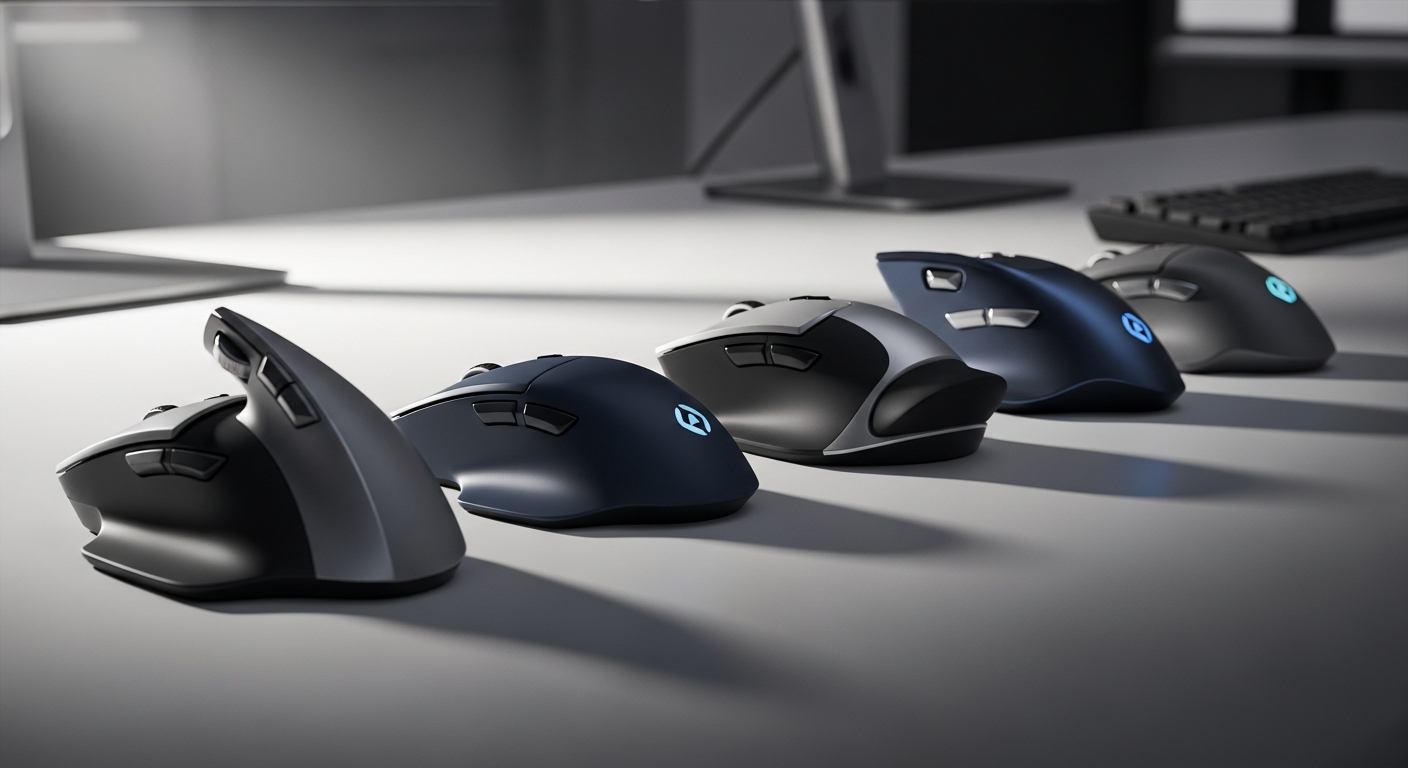
Say goodbye to wrist pain. We reviewed the top ergonomic mice of 2026 to help you code, design, and work comfortably all day.
Quick Buy Links
If you spend 8+ hours a day writing code, editing spreadsheets, or designing, your wrist is paying the price. Traditional flat mice twist your forearm into an unnatural pronated position. Over time, this causes repetitive strain injuries (RSI) like carpal tunnel syndrome and tendonitis.
Upgrading to an ergonomic mouse is one of the highest-ROI investments you can make for your workspace in 2026. The right mouse will place your hand in a more neutral "handshake" position, drastically reducing muscle fatigue and joint strain.
After rigorously testing the top contenders, we've broken down the best ergonomic mice for programmers, designers, and remote workers this year.
1. Logitech MX Master 3S: The Overall Best for Productivity
The Logitech MX Master 3S remains the undisputed king of productivity mice. While it doesn't have a steep vertical angle, its sculpted design supports your thumb and palm perfectly, encouraging a comfortable grip that works for 90% of hand sizes.
Key Features
- 8,000 DPI Sensor: Tracks perfectly on any surface, including glass.
- MagSpeed Scroll Wheel: Spins up to 1,000 lines per second electromagnetically. It’s a game-changer for navigating massive codebases or endless spreadsheets.
- Quiet Clicks: The 3S model features tactility without the loud click, making it ideal for shared offices or recording tutorials.
- App-Specific Customizations: Map the thumb wheel and buttons to different functions in VS Code, Excel, Chrome, and more.
Pros
- Best-in-class scrolling experience
- Seamless multi-device switching (up to 3 devices)
- Incredible battery life (70 days on a full charge)
- Highly customizable software
Cons
- Heavy and large, making it less travel-friendly
- Not a true vertical mouse for those with severe RSI
- Right-handed only
2. Logitech MX Vertical: The Best for Wrist Pain Relief
If you already suffer from wrist pain or want to be as proactive as possible, the Logitech MX Vertical is your best bet. Its 57-degree vertical angle places your forearm in a natural handshake position, which completely relieves the pressure on your wrist.
Key Features
- 57-Degree Angle: Reduces muscular strain by 10% compared to a traditional non-vertical mouse.
- Textured Rubber Surface: Ensures a solid grip even if your palms get sweaty.
- USB-C Fast Charging: A 1-minute charge gives you 3 hours of use.
- Logitech Options Support: Customize the buttons just like the MX Master series.
Pros
- Excellent relief for carpal tunnel and RSI
- Comfortable for medium to large hands
- Great build quality and battery life
Cons
- Takes about a week to get used to the vertical position
- Precise pixel-level tracking takes more effort
- Scroll wheel isn't the MagSpeed wheel found on the MX Master
3. Razer Pro Click: The Premium Crossover (Work & Play)
Designed in collaboration with Humanscale (a leader in workplace ergonomics), the Razer Pro Click is a sleek, white-and-silver mouse that bridges the gap between high-performance gaming and professional office work.
Key Features
- Humanscale Ergonomics: Features an added palm support that prevents your wrist from anchoring onto work surfaces, alleviating strain.
- 16,000 DPI 5G Advanced Optical Sensor: Flawless precision, originally built for competitive gaming but perfect for graphic design.
- Multi-Host Connectivity: Connect up to 4 devices simultaneously.
- 400-Hour Battery Life: Unbeatable battery performance via Bluetooth.
Pros
- Phenomenal sensor accuracy
- Beautiful minimalist aesthetic that looks great on any desk
- Highly durable mechanical switches
- Incredible battery life
Cons
- Uses Micro-USB for charging (a baffling choice in 2026)
- Software can be bulky
4. Anker Wireless Vertical Mouse: The Best Budget Option
Not sure if a vertical mouse is right for you? You don't need to spend $100 to find out. The Anker Wireless Vertical Mouse has been a budget champion for years, offering incredible value for under $30.
Key Features
- Scientific Ergonomic Design: Neutral "handshake" wrist and arm positions.
- Adjustable DPI Settings: 800 / 1200 / 1600 DPI for variable tracking speed.
- Power-Saving Mode: Automatically enters sleep mode after 8 minutes of inactivity.
Pros
- Unbeatable price-to-performance ratio
- Very lightweight
- Good entry point into vertical mice
Cons
- Build quality feels plasticky compared to premium models
- Requires AAA batteries (not rechargeable via USB)
- Sensor is adequate but not built for precision tasks
Comparison Summary
| Feature | MX Master 3S | MX Vertical | Razer Pro Click | Anker Vertical |
|---|---|---|---|---|
| Angle | Sculpted | 57° Vertical | Ergonomic | Vertical |
| Connectivity | Bluetooth / USB | Bluetooth / USB | Bluetooth / USB | 2.4G USB Dongle |
| Battery | Rechargeable | Rechargeable | Rechargeable | AAA Batteries |
| Best For | Power Users | Wrist Pain | Precision/Design | Budget |
Our Pick: Which Should You Buy?
For 90% of programmers and desk workers, the Logitech MX Master 3S is our top recommendation. The combination of the MagSpeed scroll wheel, exceptional comfort, and app-specific customizations makes it an absolute powerhouse for productivity.
However, if your primary goal is to eliminate existing wrist pain, you should strongly consider the Logitech MX Vertical. It enforces proper posture and removes the forearm twisting that causes repetitive strain injuries.
Ready to upgrade your workspace? Check out our guide on the Best Standing Desks for Your Home Office.
Ready to buy?
Here are our recommended picks from this review: